Your Dashboard
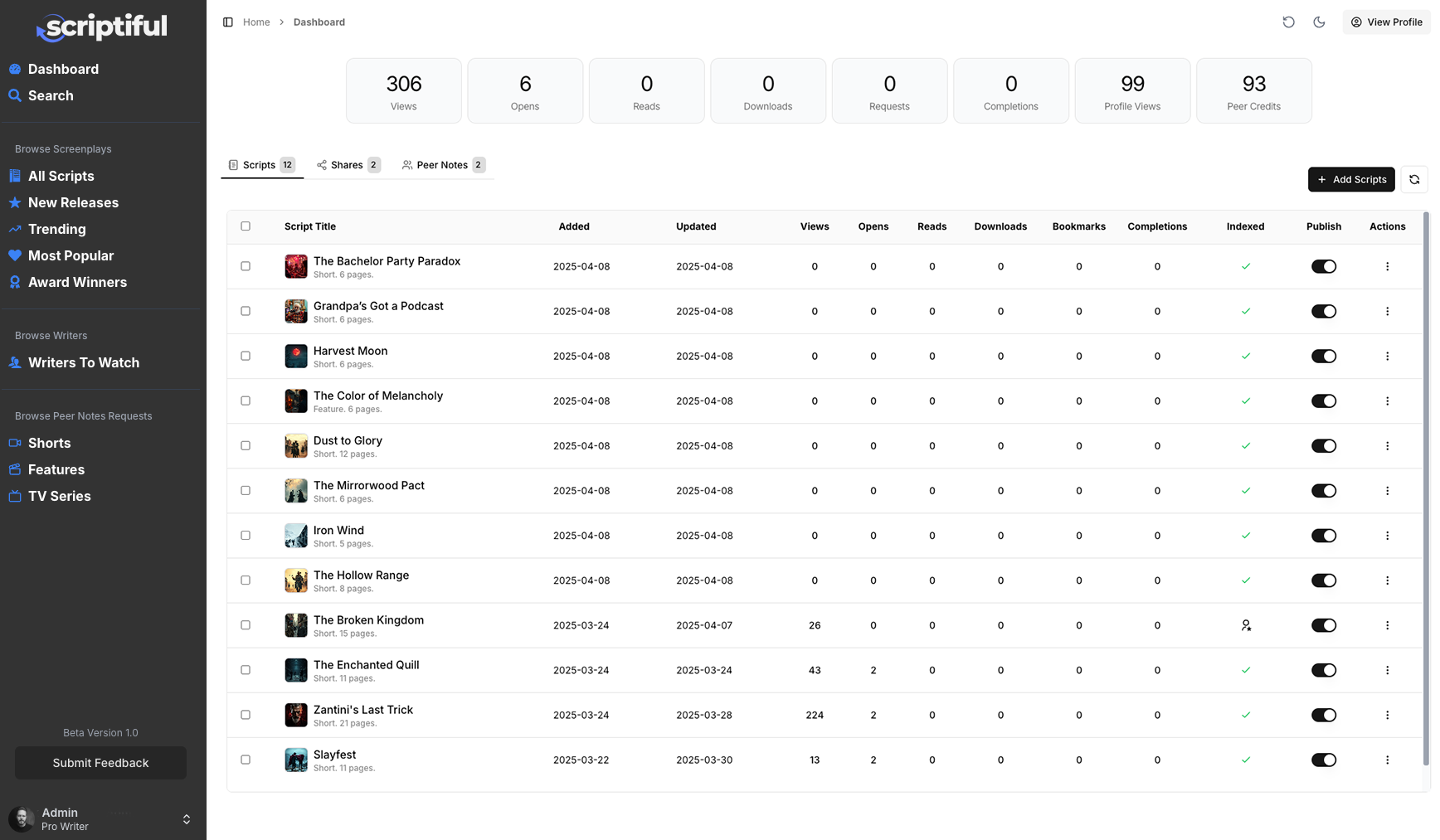
The dashboard is your main homepage and is the first screen you see when you login. It displays your current statistics such as total script views, script reads and profile views (see more on these below). The dashboard also lists your existing hosted scripts and any shares.
Viewing Your Profile
Make sure you've setup your profile first then click the View Your Profile button at the top of the dashboard. This will open your profile in a new browser tab so you can see how it looks.
Dashboard Statistics
The dashboard statistics give you a quick overview of how many times your scripts and proile have been viewed. You can read more about how we collect the dashboard stats and others here.
The dashboard is broken down into 3 key tabs/areas:
Scripts Tab
Any scripts you upload will be listed here along with their individual statistics. To view the script details, simply click on the script's title. Various actions can be performed on a script by clicking the Action Menu (3 dots) to the right of each script. The available options are:
Edit Details
Acccess the Edit screen to update your script details, add cover art and change various notification settings. See more on editing your script details here.
View Script
Opens your script PDF in a new browser tab.
Download Script
Downloads your script PDF to your computer.
Share Script
Allows you to share your script with others. See more here.
Request Peer Notes
Start a new Peer-to-peer notes request. See more here.
Delete Script
Deletes the script from the server. Note that deleting your script removes all history, stats and shares. You can not delete a script if there is an open Peer review.